One Time Enrollment Only Class
Not all classes allow for regisration on a recurring monthly basis, some are only able to be enrolled in one date at a time. Here is how to remove your class from the recurring regisration flow and only allow for one time enrollments.
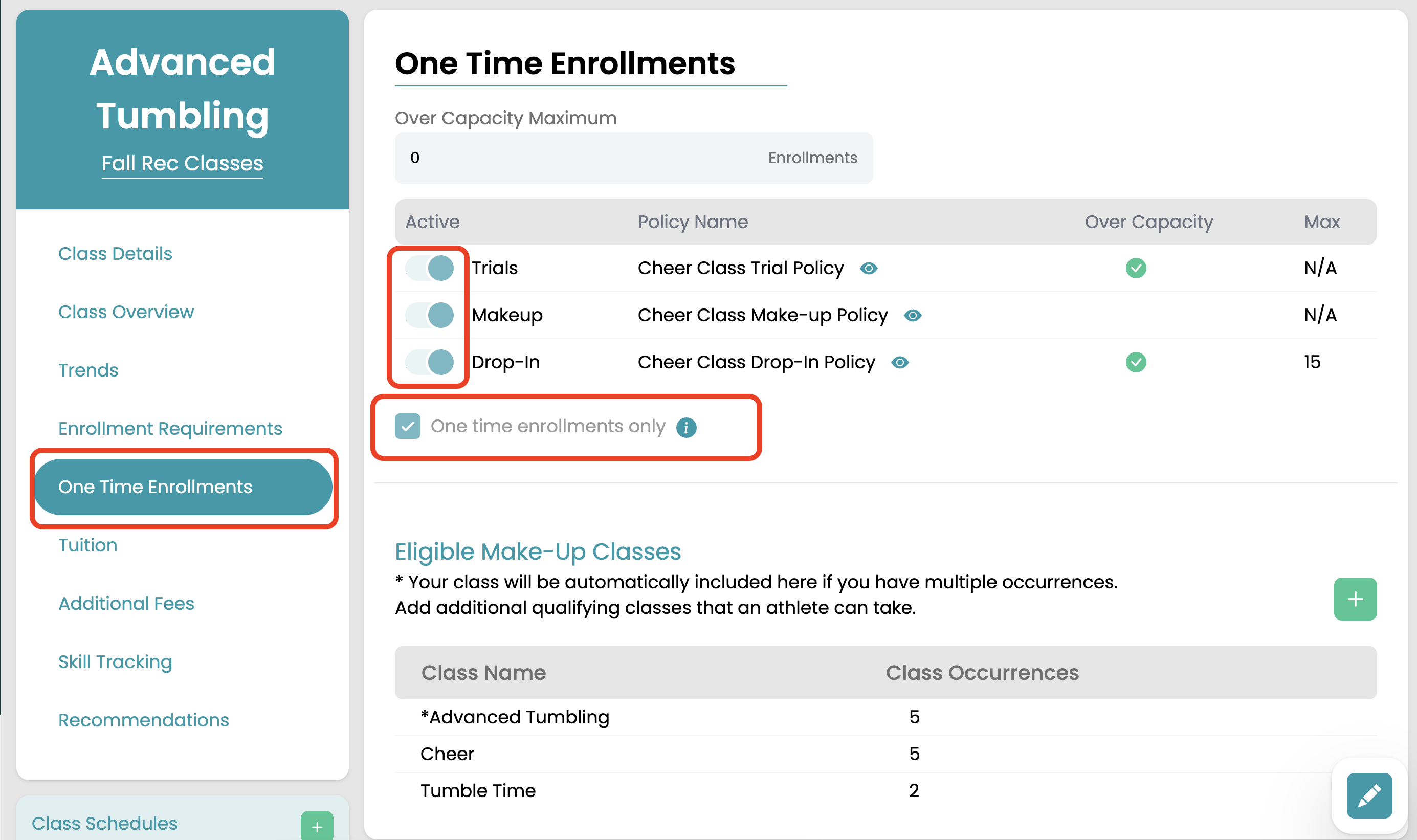
On the class settings "One Time Enrollment" tab toggle on the one time enrollments permitted for this class; trials, make-ups, and drop-ins. You can enable any combinations of the OTEs.
Check the box "One time enrollments only." Checking this box will hide this class from the regular enrollment flow. Families can only reach it through the one time enrollment types enabled.
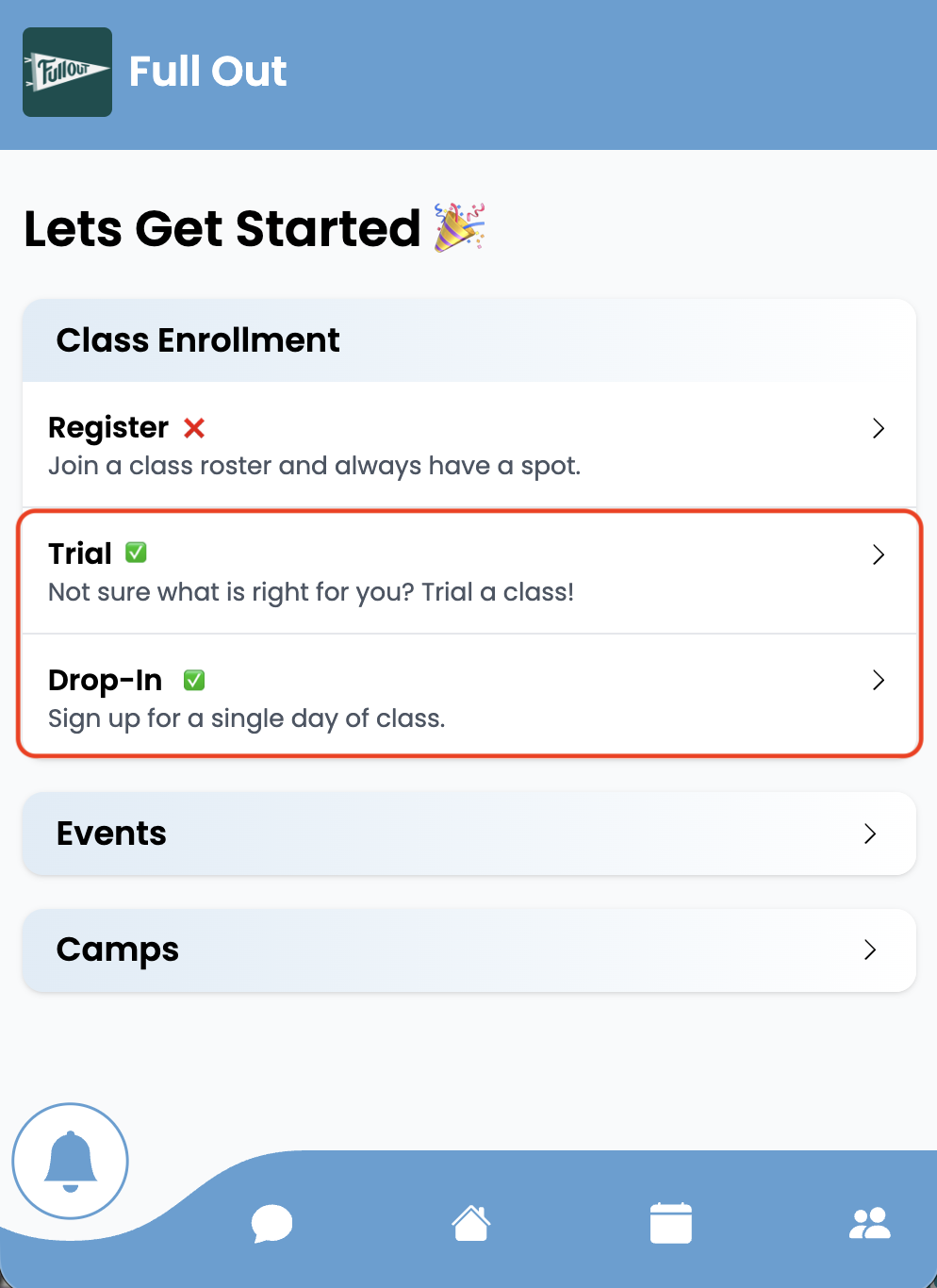
How to enroll in a one time enrollment only class from the parent app.