
Notes
Notes are a useful tool that can help keep your team informed and organized. There are currently User Notes and Invoice Notes available.
| Note Type | Description | Display Check-In | Access to Note | Location |
|---|---|---|---|---|
| Family Note |
General notes about the family Saves History of last edit |
Optional |
Admin Parent Optional |
Family Page |
| Athlete Note |
Note assigned to one athlete Saves History of last edit |
Optional |
Admin Parent Optional Coach Optional |
Family Page |
| Medical Note |
Note assigned to one athlete Saves History of last edit |
Yes |
Admin Parent Coach |
Family Page |
| Invoice Notes |
Billing note on Invoice No history of last edit |
No |
Admin Parent |
Invoice |
| Waitlist Notes |
Note for an athlete on a class waitlist No history of last edit |
No | Admin | Class Waitlist |
| Class Notes | Note assigned to an entire class occurrence or a single day of class | Optional |
Admin Staff/Coaches |
Class Occurrence Page |
User Notes
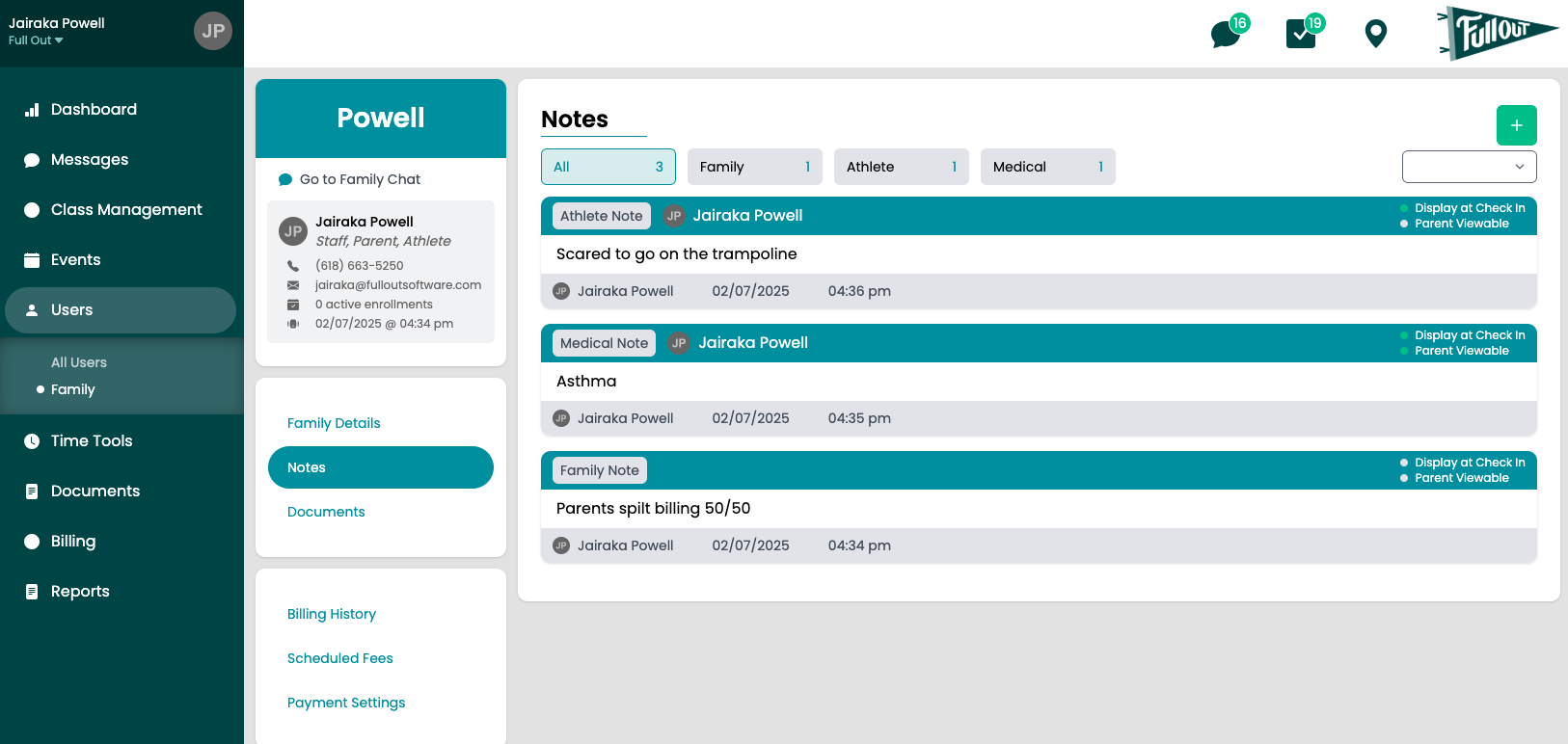
User notes are found on the Family page for a specific family. They can be accessed by going to users, families, then searching for the family. User notes can be used for a variety of things, such as giving coaches more information, leaving a note that a family is on a payment plan, and more. User notes save the history of the last person that edited the note.
Add New User Notes
- Navigate to the Family Page for the family
- Select Notes from the internal menu
- Click the create button
- Enter the information and select from custom options
- Visible to Parents
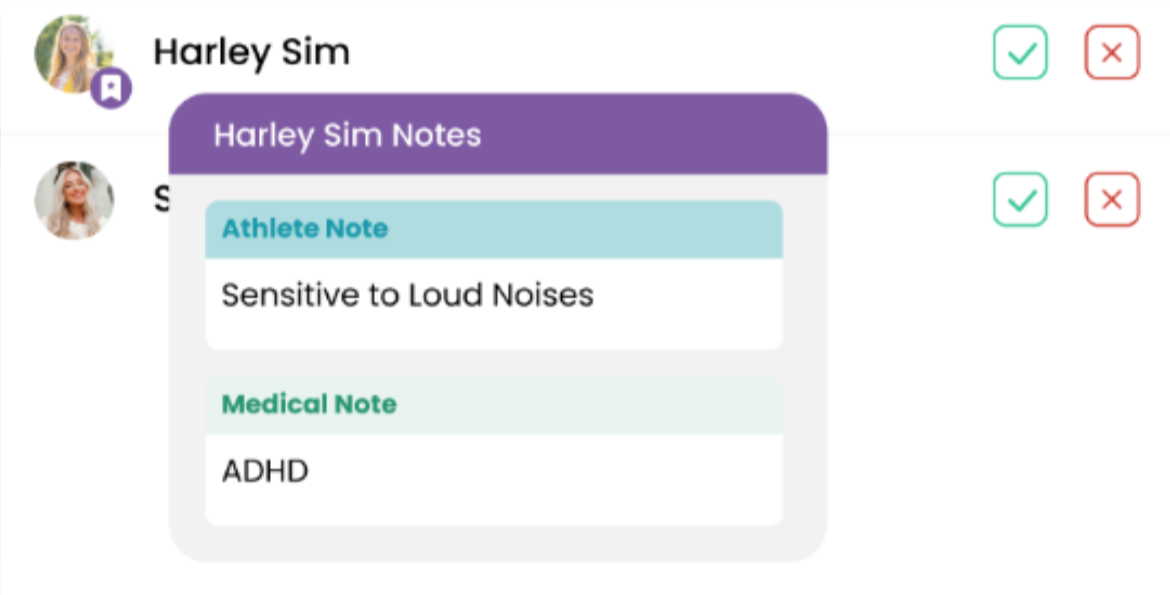
- Show in Check-In (for coaches)
- The purple icon will show up for coaches and on the admin athlete check-in
-
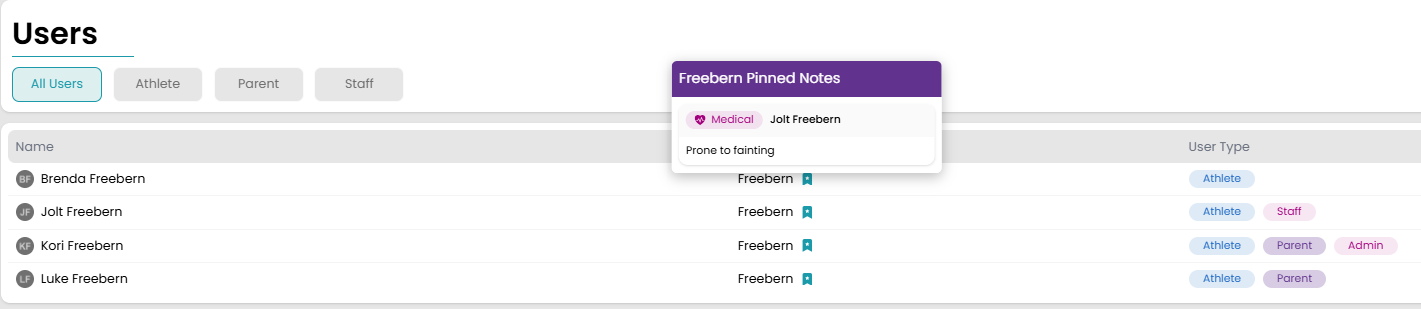
- Pin to Account
- An icon will appear on the family page and on the user search page. When you hover over the note, you can see more details.
-
- Save
External Link Option
If you have a doctor's note or specific medial note that needs to be uploaded to the user's account, you can add it to an external folder such as a Google Drive folder then copy and paste the link to the family's Family Details page.

Once added, this link will be available directly from the family page for the admin to access. Only those given access to the external folder by the owner of the folder will be allowed to view these files.

NOTE: This note will NOT be stored directly on Full Out and will instead be stored in a folder outside of the app at the gym's discretion. It is the gym's responsibility to follow all HIPAA laws and regulations when it comes to protecting your users' privacy.
Invoice Notes
To follow the best practices and standards on invoicing and accounting guidelines, we cannot allow a paid invoice to have edits made. We introduced a new field on an invoice for invoice notes, that way you can add or edit a note even after it has been paid.
Please note that invoice notes are viewable for parents
Under More on an Invoice
- Add Note
- Edit Note
Where you can see it:
- On Invoice from Admin Dashboard
- Printed or Downloaded PDF
- On Invoice from Parent App
Waitlist Notes
Waitlist notes can be seen on each class waitlist section. They are tied to the athlete on the waitlist. Once the athlete is no longer on the waitlist the notes are no longer listed.
Read more details about managing the waitlist and notes here.
Class Notes
To add a class note navigate to the class occurrence you want to add a note to. At the top of the page, you will click on the purple notebook icon to begin your class note or view all of the notes created for that class.
Read more details on creating class notes here.