Manage Waitlist
How to Edit Waitlist Options on Rec Class
- Navigate to the class you want to edit
- Select Enrollment Requirements from the class menu
- Choose to enable the waitlist or not
- Set the capacity for the waitlist
- Click save
Manage Waitlist
There are several tools available to help you seamlessly manage waitlists for your class. The status date will reflect the date that the student was added to the waitlist. For more comprehensive history or to add the athlete to the class, select View / Edit History modal.
- Reorder Waitlist: This can be done by dragging & dropping the athlete by selecting the icon on the left of the athletes photo.
- Add Waitlist Note: There is no history on the note, but your staff can leave pertinent notes for other staff members who also are editing waitlists.
- Spot Available Email: Send an automated email to the parent for your athlete. This message can be customized by going to Settings > Communication.

Add Athletes to Waitlist
Athletes can be added to the waitlist from the parent app or they can be added by a staff member in the admin dashboard.
- Parents can request to join the waitlist from the parent app for classes that are full.
- In the admin dashboard
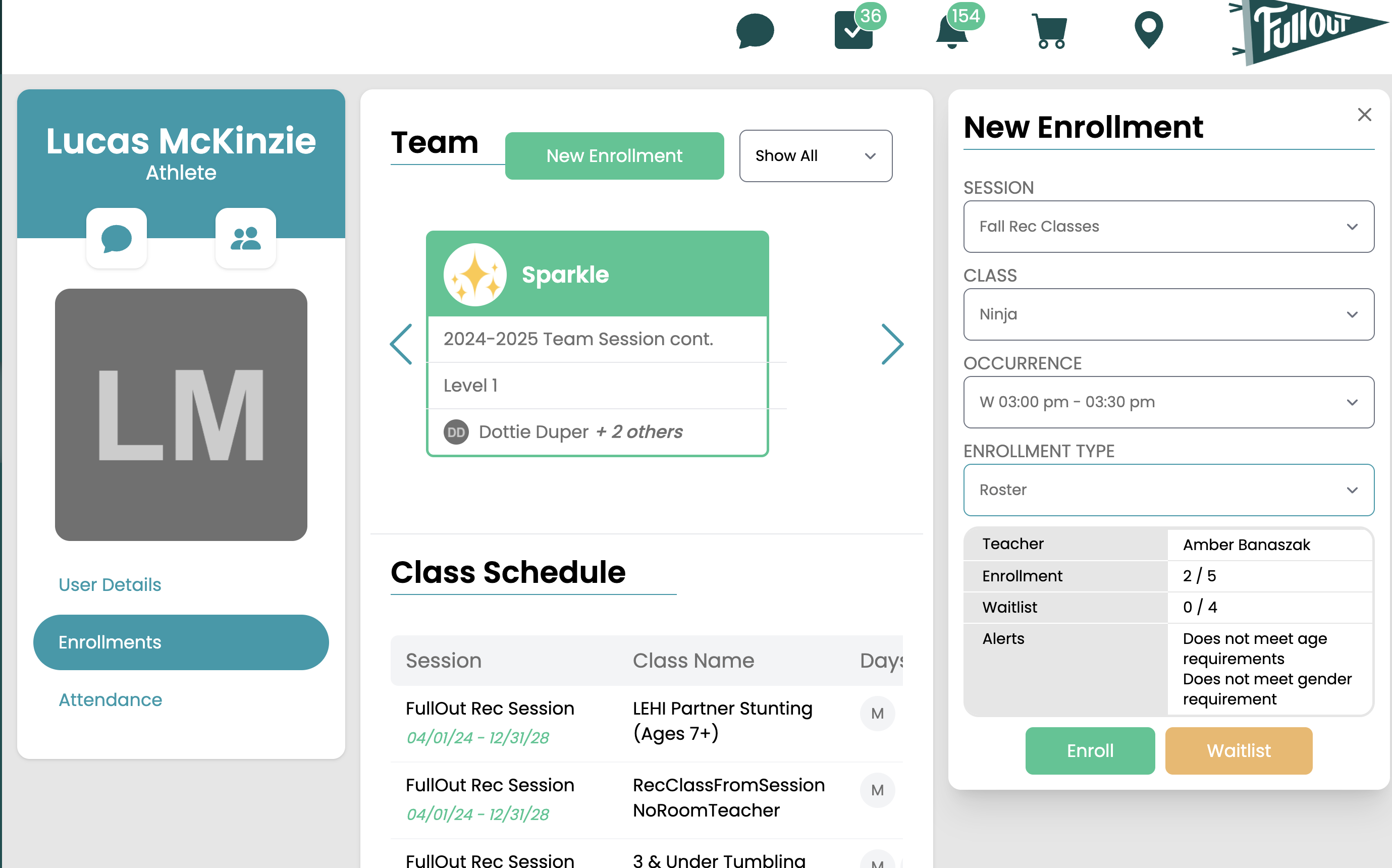
- From their profile page: New Enrollment > Select the Session > Class > Occurrence > Enrollment Type "Roster"
-
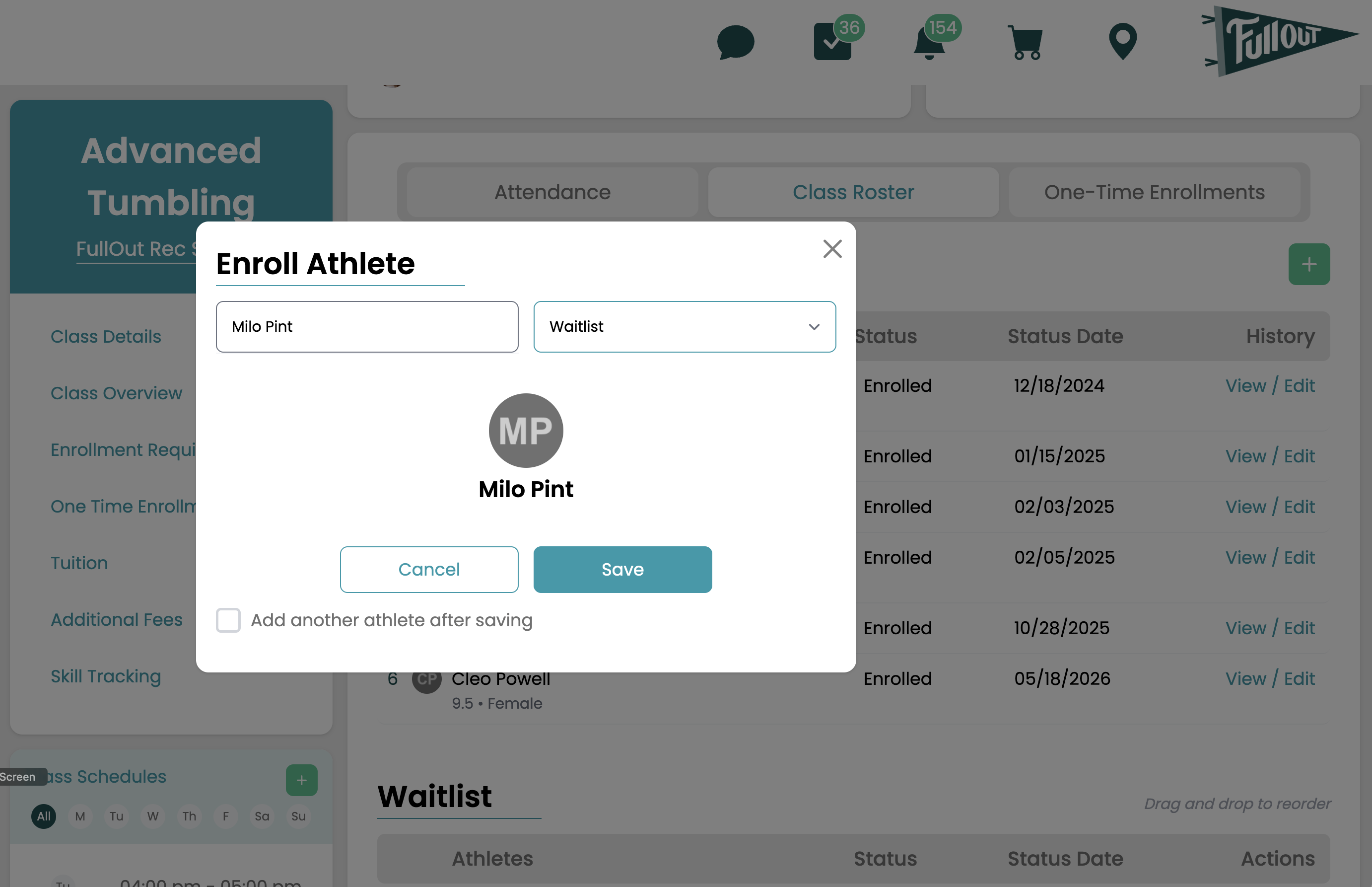
- Directly on the class roster page. Click the green + > Search for the Athlete > Set the enrollment drop down to waitlist.
-
- From their profile page: New Enrollment > Select the Session > Class > Occurrence > Enrollment Type "Roster"