
Platform Settings
App Design
- Define the Business Type displayed on some default text; for example switch from Gym Details to Studio Details.
- Set the primary color of the app
- NEW!! - Homepage Design
- Show Key Photo: If you do not set a key photo it will be the primary color of the app. We recommend 1600 x 534 px (3:1 ratio). Wide photos work best, a rectangular logo also looks greaT!
- Display logo in Header: The logo will still display on the other pages, but optional to turn this off based on your key photo and design preferences.
- Start Shift Button (Staff App Only): This does not disable the staff timecard feature, however it will remove the start shift button. Staff will still have there schedule listed, and be able to click each class to take attendance.
- Create an in-app banner for your parents or staff!
Parent App
Customize the experience for your parents on the app
- Classes
- Allow parent check-in for classes
- Disable parents requesting absences in the app
- Hide seats available in the enrollment flow
- Allow parents to make enrollment changes such as dropping themselves from a class
- Having this toggled on means parents can click to cancel the class instantly. Once they drop the class, they will be taken to a screen where they will decide when they want the drop to occur and provide a reason for the drop.
-
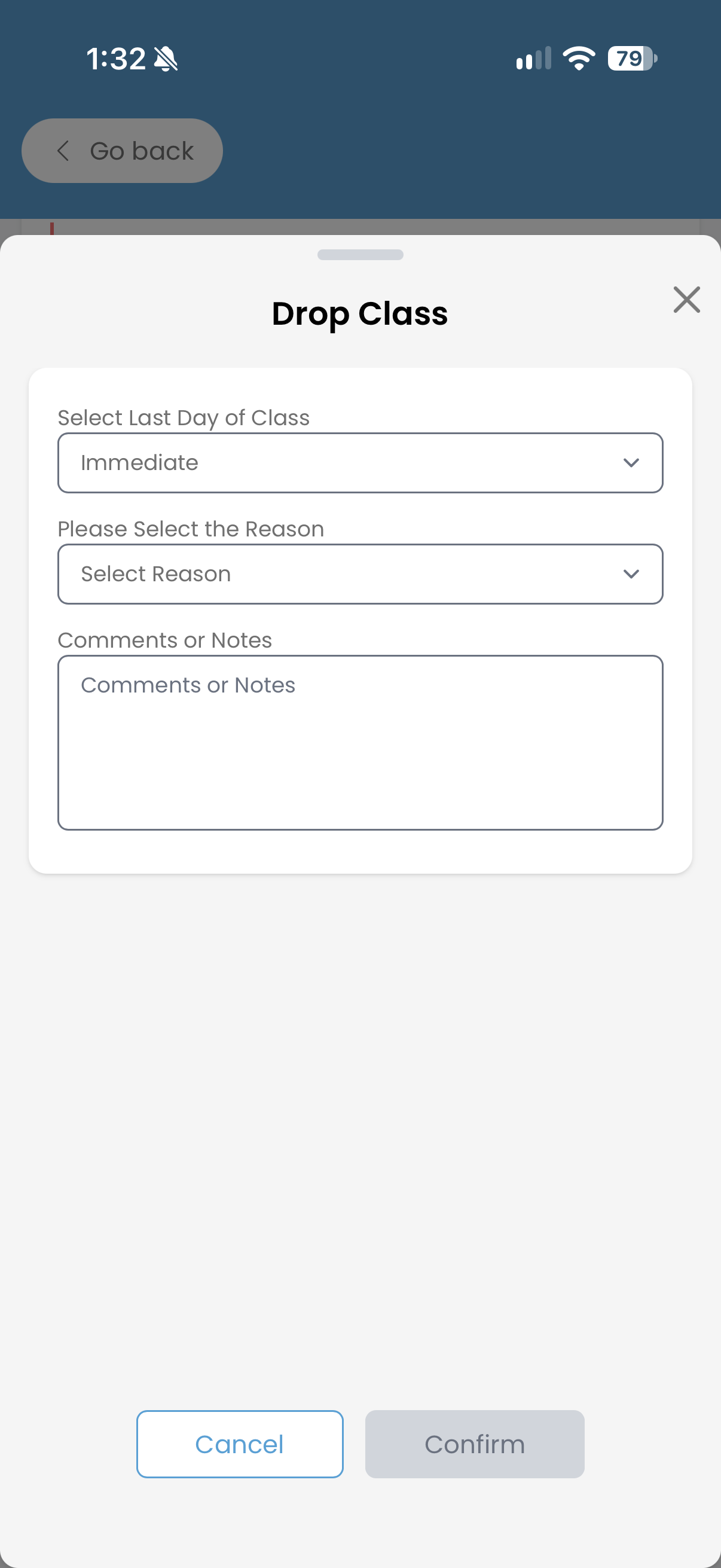
- Once the parent has filled out the form, admin will receive a notification in the admin dashboard of the drop.
-
- If this setting is toggled off, parents will need to email your gym directly in order to cancel.
- Having this toggled on means parents can click to cancel the class instantly. Once they drop the class, they will be taken to a screen where they will decide when they want the drop to occur and provide a reason for the drop.
NOTE: It is the responsibility of the gym to adhere to any local or state regulations regarding click to cancel laws.
- Other
- Allow parents to view skill tracking
- Allow parents to start messages with staff - note that you must configure individual staff members to have permission to message. See Staff to Family Direct for more information.
- Require emergency contact during onboarding
- Require a payment method when parents go through the onboarding process
- Show recommended classes in the enrollment flow
- Payment Method Messages
- Add a payment method message for parents to see on the add payment method page
- This is useful for alerting parents of a surcharge or global fee that will be added upon paying
- Add a payment method message for parents to see on the add payment method page
- Enrollment Descriptions
- You can also change or add Enrollment Descriptions on the parent app! Let your parents know that clinics or tryouts are under Events by customizing the message.
Staff App
- Give your staff members permission to view the contact information for your athletes
- Turn on the All Gym Calendar
- Require emergency contact information during staff onboarding
Admin Platform
Customize how the admin platform looks - visit the Admin Navigation Menu article to see more information!
This is a report where you can view the login attempts on your branded platform. This is a great first step in troubleshooting why someone is having a difficult time getting into their account!