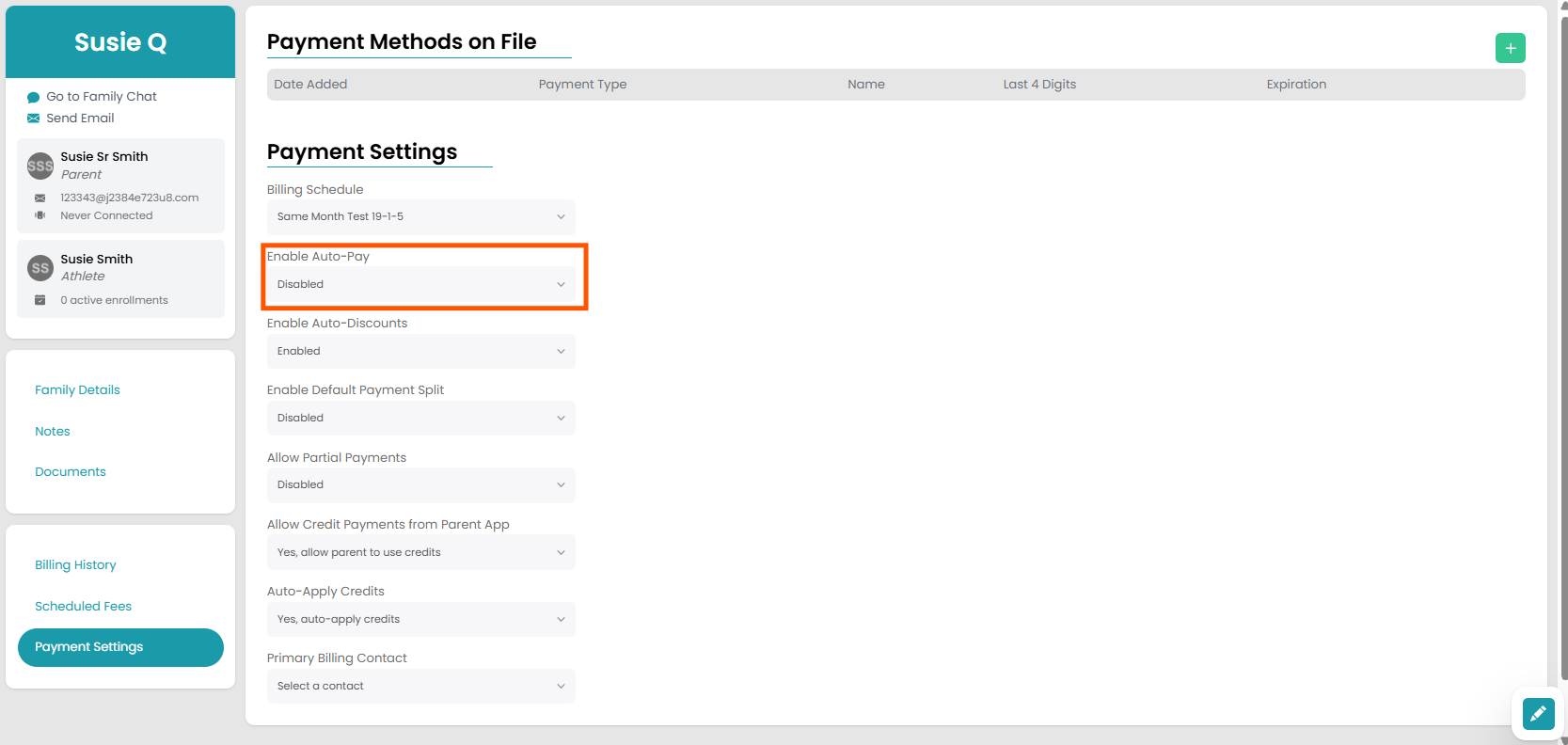
Enable or Disable Auto-Pay for a Family
If you have auto-pay enabled for your gym, you have the option to toggle it on or off for specific families. Invoices will still automatically send and have late fees incurred to these families, however their default payment on file will not be automatically charged.
How to Edit
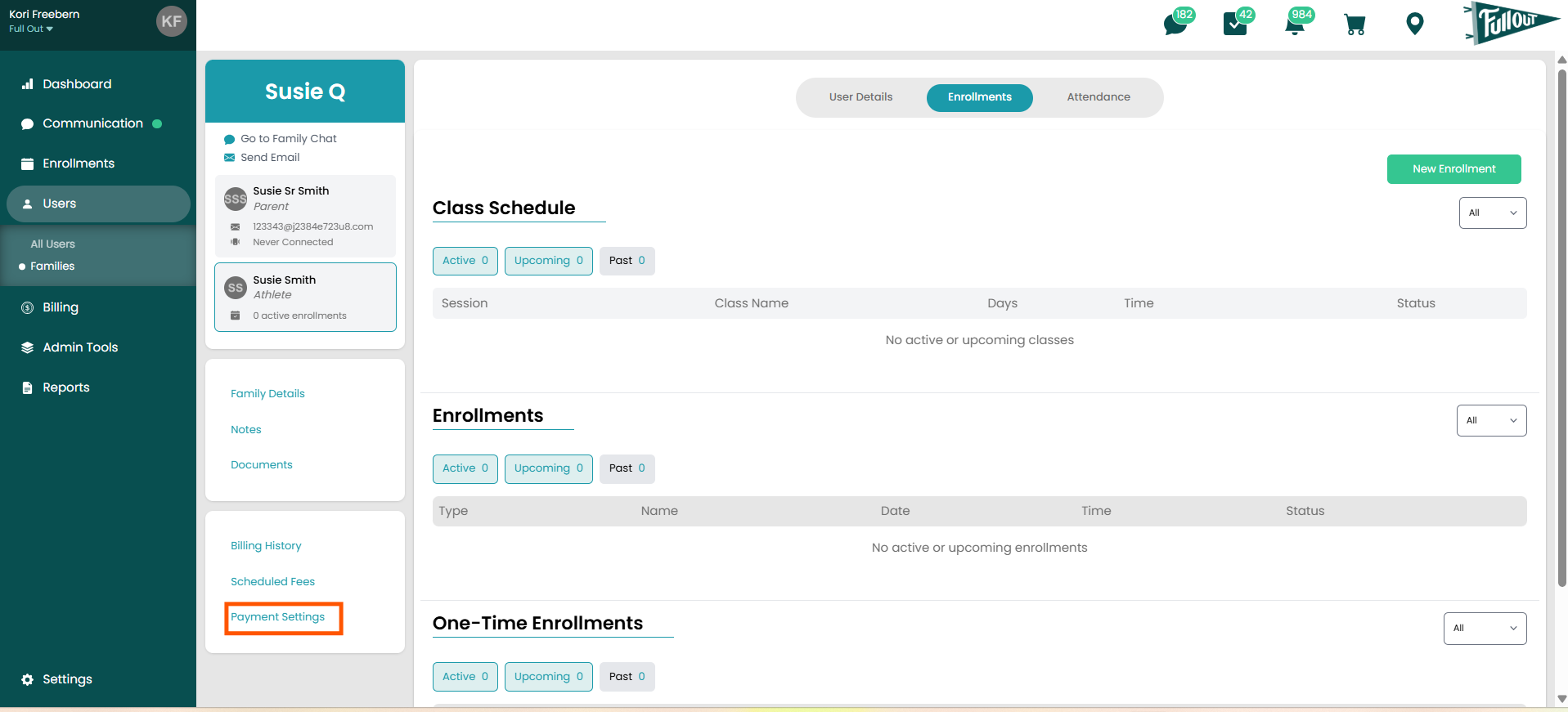
- Navigate to the Family Page that needs auto-pay to be enabled or disabled.
- Click on Payment Settings.
- Click the edit icon in the bottom right corner on the payment settings page
- Click the dropdown that asks if you want auto-pay enabled or disabled