Recreation Bulletin
Bulletin's are a one-way communication method that gyms can use to send information to families. Recreation classes do not have group chats, to not allow recreation parents access to talk to each other.
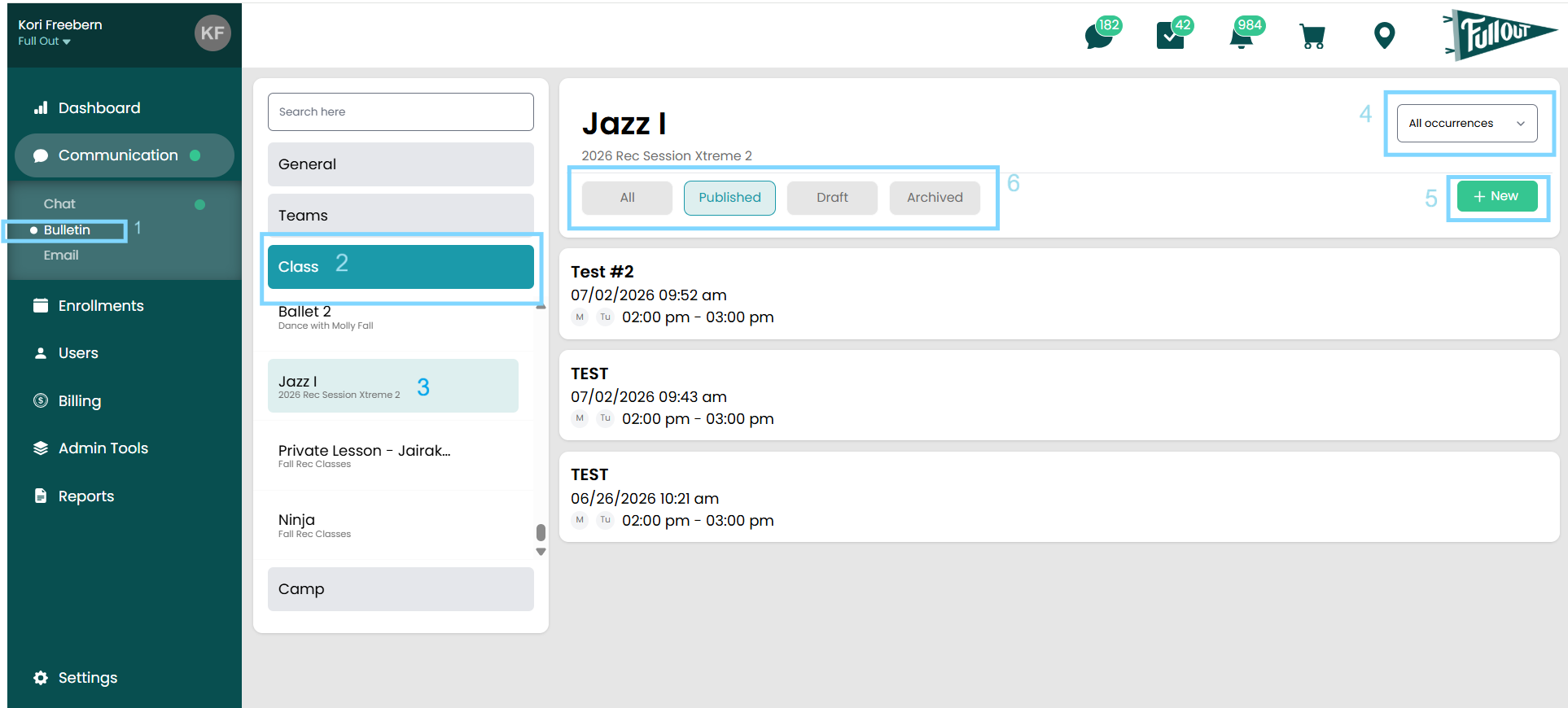
- Bulletin Navigation: This is where you will access all bulletins
- Class Header: This is where you will access all Recreation bulletins
- Rec Class: Select the individual recreation class that you would like to post a bulletin
- Occurrences: You can select bulletins that have gone to all occurrences, or just specific ones
- New: The new button is how you will create a new bulletin
- Published Status: You can view what is published, saved, or an archived post
Posting A Bulletin from Admin
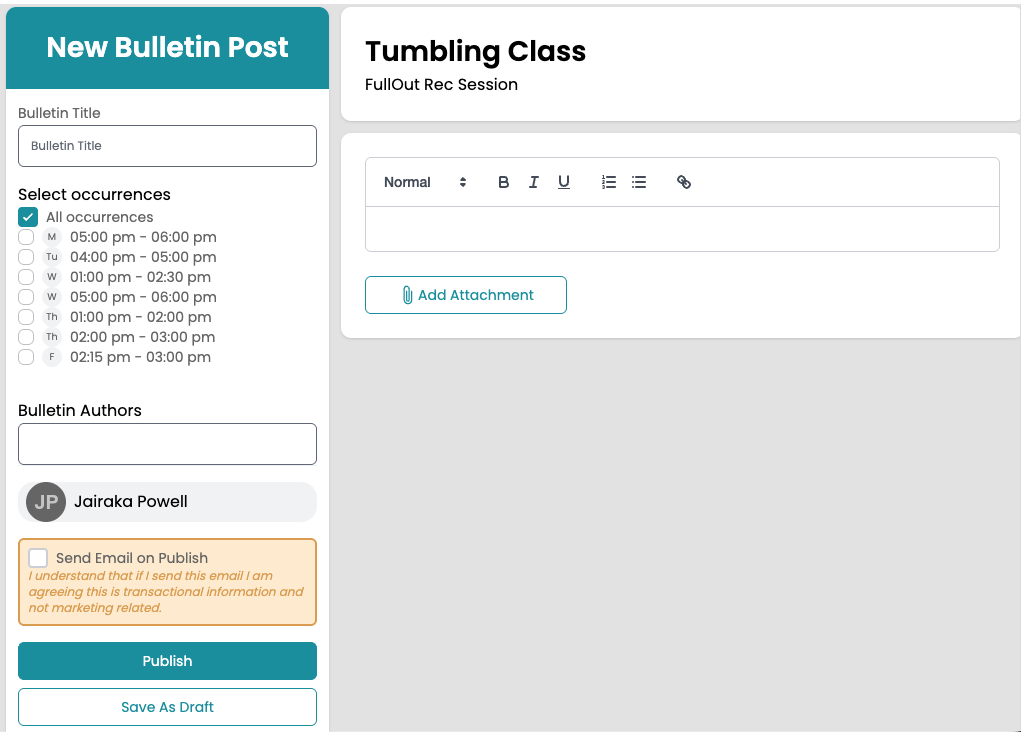
After hitting the +New button in the top right corner, you will be sent to the page below.

- Name the Bulletin
- Select if you want it to be sent to all occurrences, or just a specific one.
- Bulletin Authors: The user creating the bulletin will always be the author, however you do have the option to add additional authors like other coaches!
- Use different options to format the bulletin post.
- Add an attachment to the bulletin like a photo, video, or PDF
- Parents can download attachments directly from the Parent App by selecting the attachment and clicking the download button in the upper right corner.
- You have the option to publish your bulletin immediately, which will send a push notification to your parents that have the app downloaded and notifications turned on... OR you can save as a draft and come back later!
*If you want to push this bulletin out as an email, check the box next to Send Email on Publish on the lefthand side.
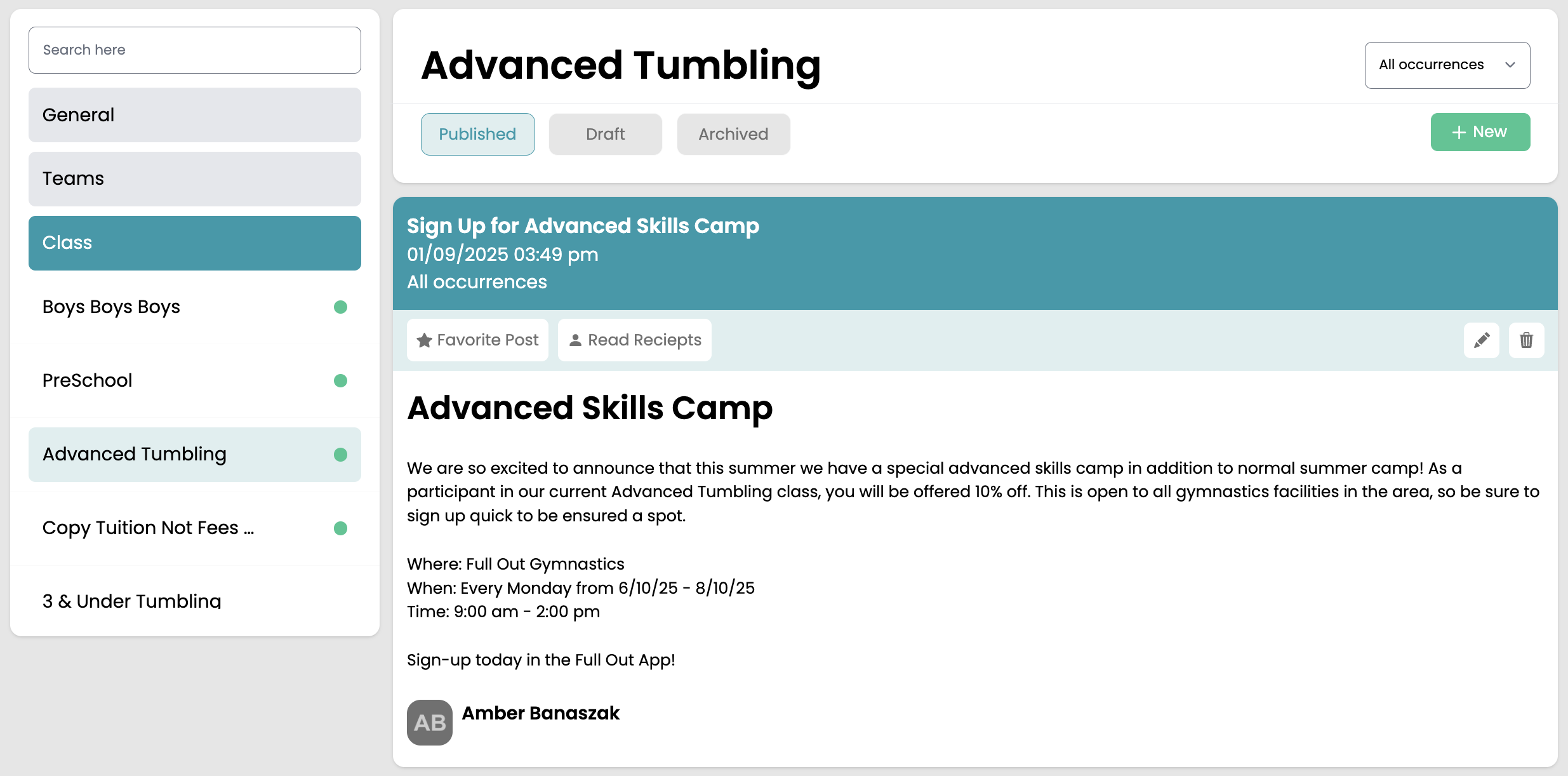
Once the bulletin is published, it will show on the page! You can edit, look at read receipts, or favorite the post for it to stay at the top of the feed!
Posting a Bulletin From Staff App
Staff who are assigned to a class or team can send bulletins directly from the staff app by following these steps:
- Navigate to the Messages tab
- Choose Bulletin > Class Bulletins
- Select the class you want to send a bulletin to
- Click the green New Bulletin button
- Insert the same information as is explained above!
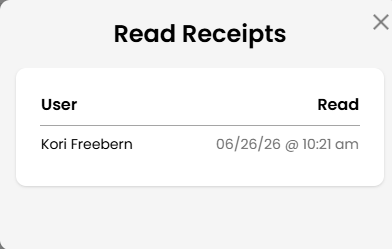
Staff will also be able to view the read receipts for any bulletins for classes or teams they are a part of by navigating to the specific bulletin and clicking the read receipts button. From there, they can see who has read it and when.