Party Manager Overview
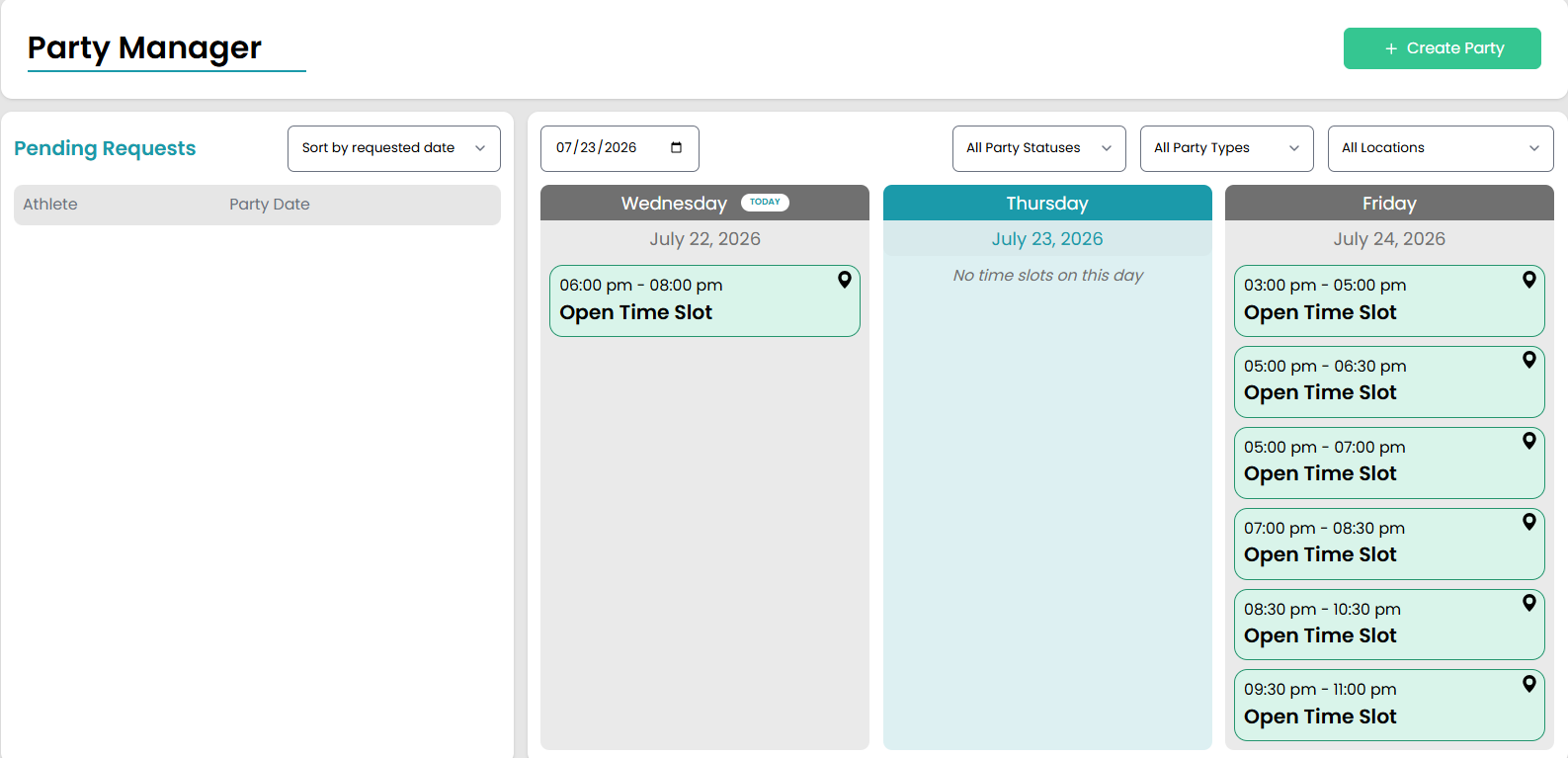
The Party Manager page under Enrollments > Party Manager gives the admin a quick guide to booked parties and open party slots all in one place.
At the top of the page, admin can see pending requests and the next three days of party openings. They can also book a party directly from this page using the green Create Party button in the top right corner.
NOTE: The first date on the calendar will be the earliest date with available spots. If there are no spots available on the current day, the system will automatically start with the earliest option with open party slots.
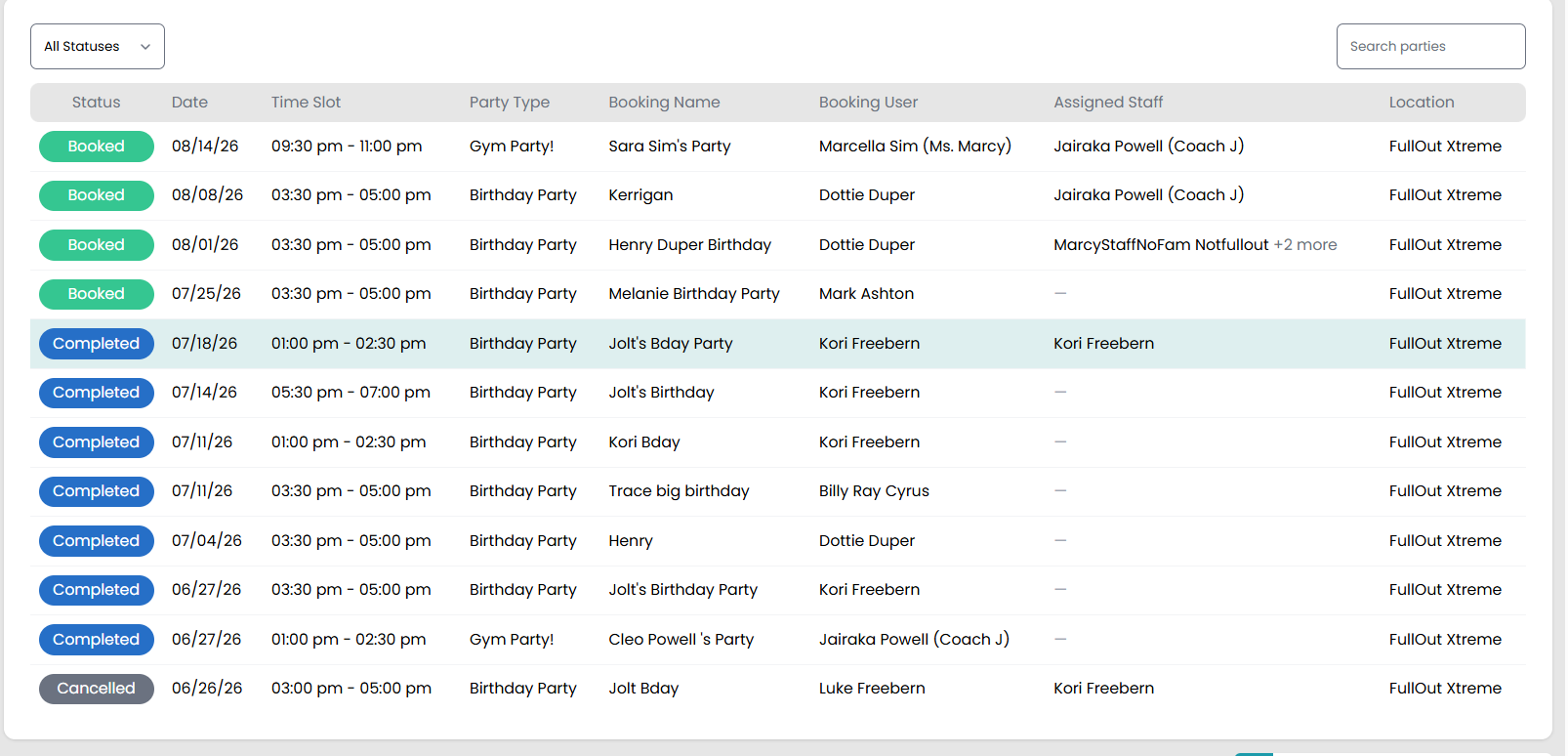
The bottom of the page provides details on all upcoming parties including the date, time, party type (if you offer multiple), booking name, user who booked the party, name of the staff member that is assigned to the party, and the location. Admin will also be able to see the status of the party with option including Completed, Booked, Cancelled, or Pending.