Batch Credits
Full Out's Batch Credits features allows you to post credits to multiple athletes at the same time. Use this feature when dividing up earnings from a team fundraiser or when posting credits for scholarships.
How to Setup:
- Under the Billing Menu - select the Batch Fees & Credits page
- Hover over the Blue New button and select Batch Credit
- Complete the Modal to set up
- Credit Name: This is internal and for naming purposes in the batch credit list
- Credit Category: Select from the options provided.
- You can also add your own credit categories by navigating to Settings > Billing > Credit Categories
- Amount Per: You have three options for this category
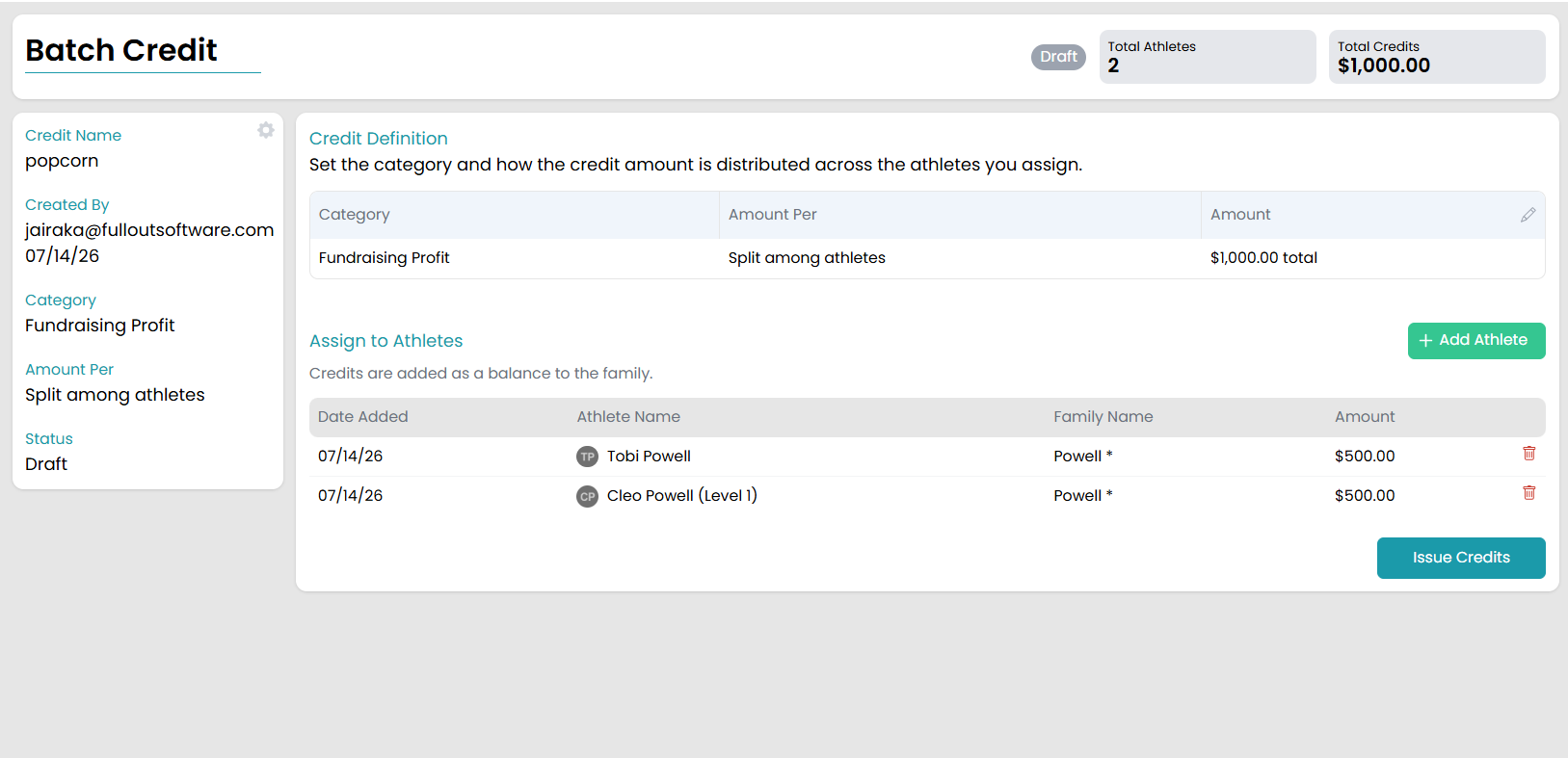
- Split among athletes-The system will take the total amount and split it evenly among the chosen athletes.
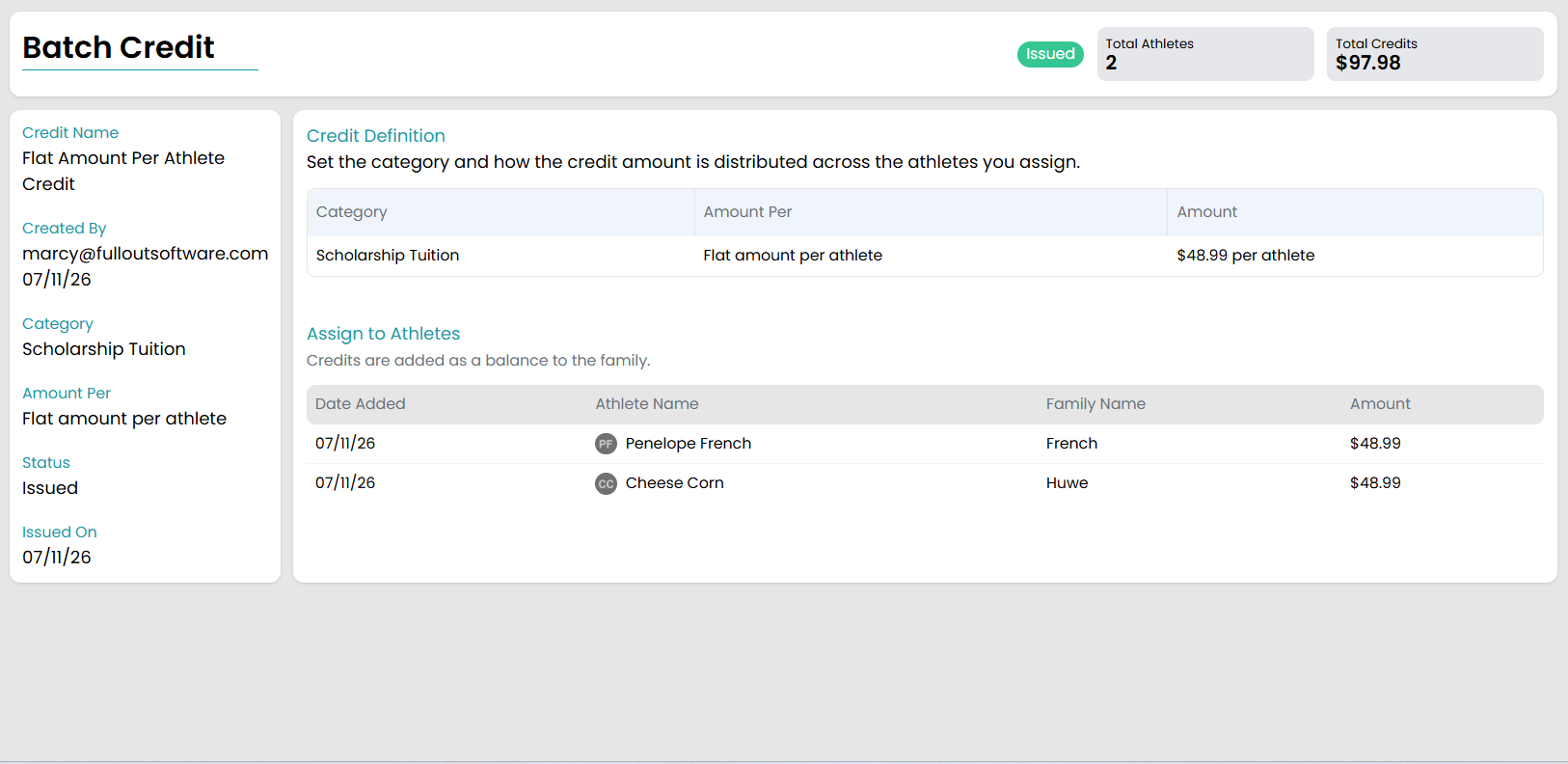
- Flat amount per athlete- Each athlete will receive the same set amount as determined by you.
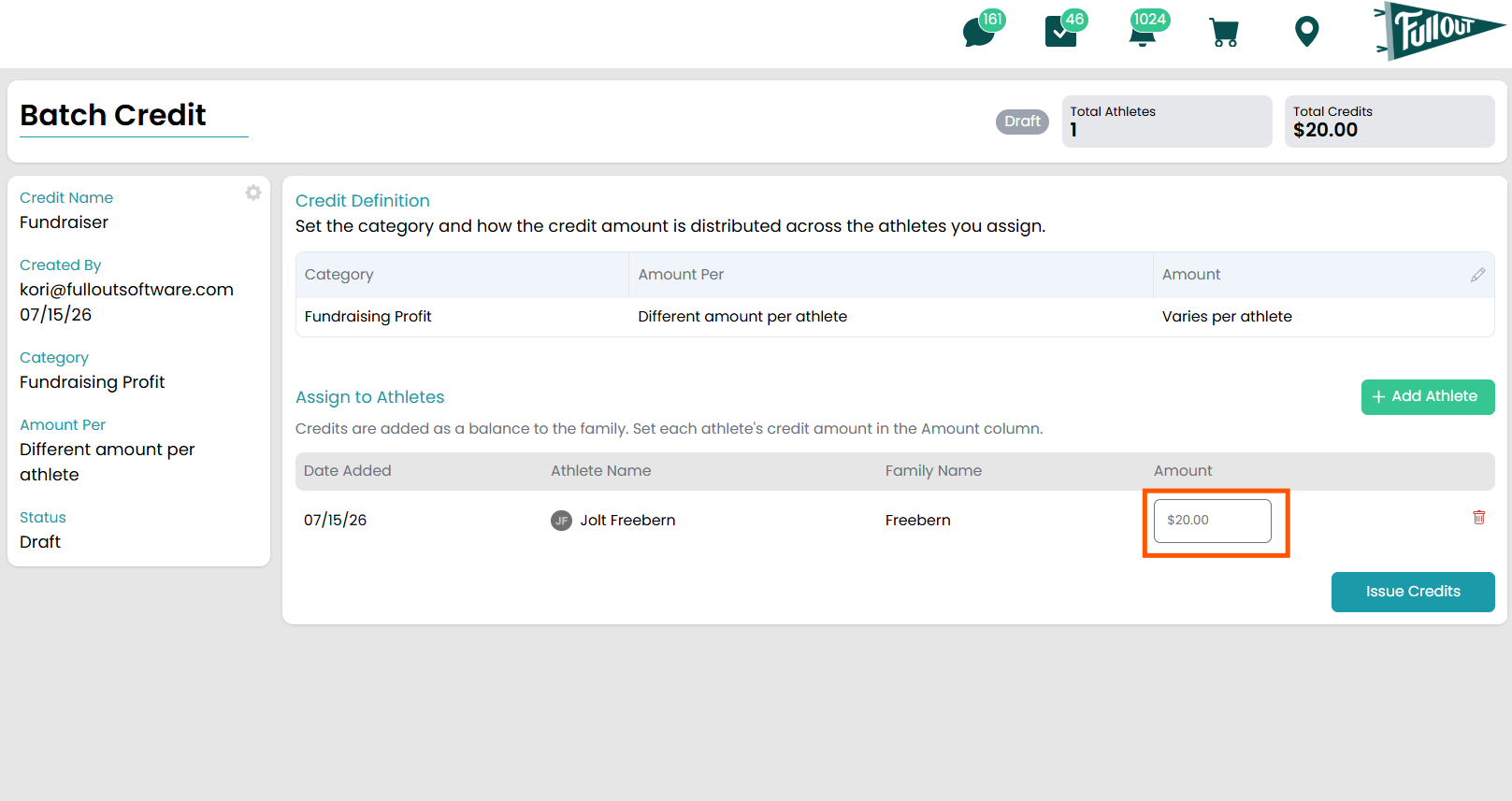
- Different amount per athlete-You will have the option to type in a different amount for each selected athlete.
- Total Amount/ Amount Per Athlete: If you chose "Split among athletes" or "Flat amount per athlete", this section will pop up for you to type in the amount you want to split among the athletes or give to each athlete.
- Click Create
- Add athletes that need to receive the credit by clicking the green + Add Athlete button
- If you chose the "Split among athletes" option, the amount each athlete will receive will automatically calculate
-
- If you chose the "Flat amount per athlete" option, the flat amount you typed in previously will automatically populate
-
- If you chose the "Different amount per athlete" option, you will be able to type the amount each athlete will have added to their account in the space provided next to each athlete
-
- If you chose the "Split among athletes" option, the amount each athlete will receive will automatically calculate
- Click Issue Credits once you have everything finalized!