Other Roll Sheets
The other roll sheet report allows the administration to print roll sheets for taking attendance at camps or events, based on the existing roster when the roll sheet is generated and printed. This provides a hard copy attendance record that may be required or desired by the business entity. These roll sheets can also provide the administration data regarding check in and check out if that is enabled by the administrator.
Roll sheets can be generated and printed for one individual occurrence of a class, all occurrences of a class, or all classes in a session, at one time.
How to Generate the Report
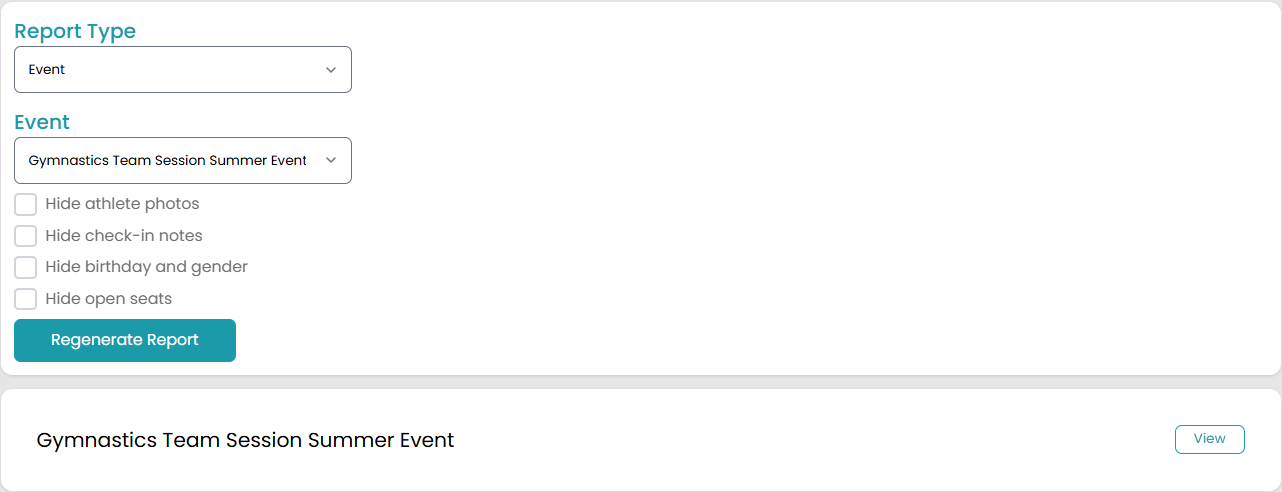
The options available for the generation of this report include the report type selected and the Category Options, as described below. Once the selections are made, the user will select the Generate Report button.
| Report Configurations | Options | Description |
| Report Type |
Event Camp |
Choose whether you want to generate this report for an event or camp session. |
| Camp/Event |
|
Depending on which option you choose above, this section will either be called Camp or Event. This is where you will select which camp session OR event you want to generate a report for. This dropdown menu will display all camp sessions and events, including ones that have been completed. |
| Hide photos with user | Checkbox | If this checkbox is checked, the photos of the athletes in the roll sheets will be hidden. This optimizes the printing of roll sheets, as printing photos can use up precious resources. |
| Hide check-in notes | Checkbox | If this checkbox is checked, the check-in notes for all athletes will be hidden. |
| Hide birthday and gender | Checkbox | If this checkbox is checked, the birthday and gender of the athletes in the roll sheets will be hidden. This saves you printing space for more necessary information. |
| Hide open seats | Checkbox | If this checkbox is checked, the open seats available for this session will be hidden. |
| Hide parent information (only shows up when you choose the Camp option under Report Type) | Checkbox | If this checkbox is checked, the parent information for athletes in the roll sheets will be hidden. |
If any of Report Type or Camp/Event options are changed after the report has been generated, the report must be regenerated by selecting the Regenerate Report button. The data will not be updated until that action is taken.
How to Read the Report
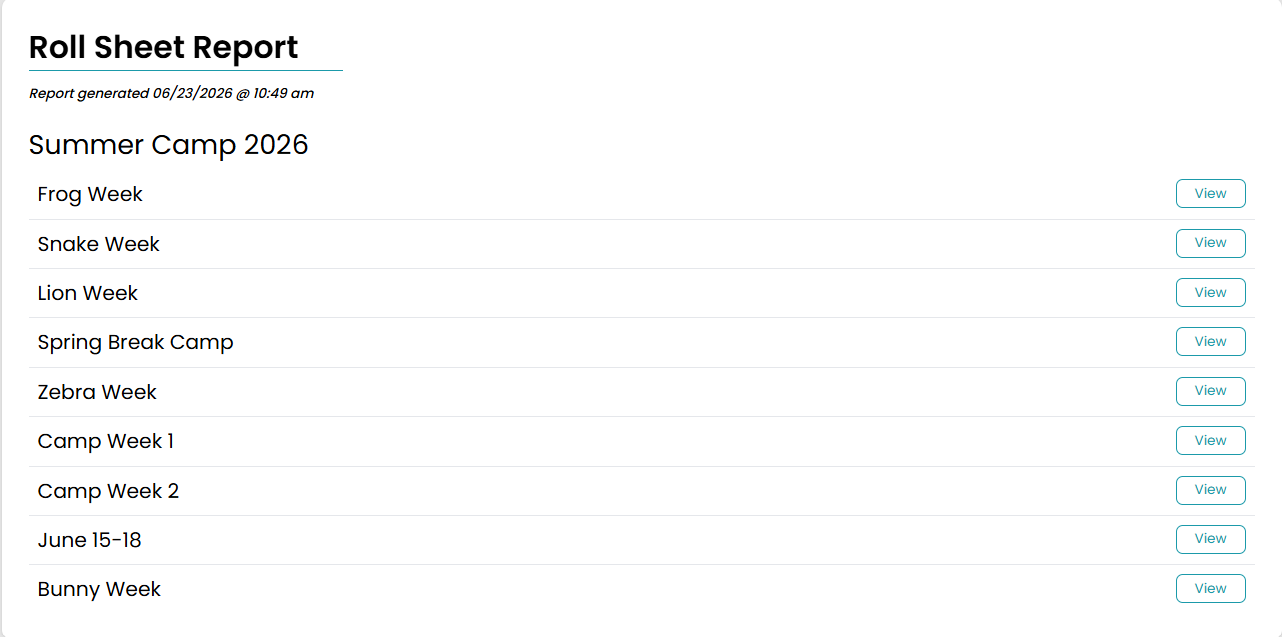
Once the report is generated, the exact date and time the report is generated is shown under the report title.
Camps
If you are generating a report for a camp session, you will see all occurrences for that camp as separate files to view once you generate the report. Once you click to view one of the reports, you will see all the information that wasn’t checked above as well as the athlete’s name.
If you are generating this report as a way for guardians to check in and check out athletes, the roll sheets will have a section for the guardian to mark down the check in and check out information.
Events
If you are generating a report for an event session, you will see one report to view for that event. Once you click to view the report, you will see all the information that wasn’t checked above as well as the athlete’s name.