
Camp Billing
Full Out provides various payment options when it comes to fees associated with camps. Depending on what you want your billing policies to be, you can choose between an instant billing option or creating a draft invoice for camp enrollments. There is also a deposit feature that you can enact if choosing the Create a Draft Invoice option.
Instant Billing Option
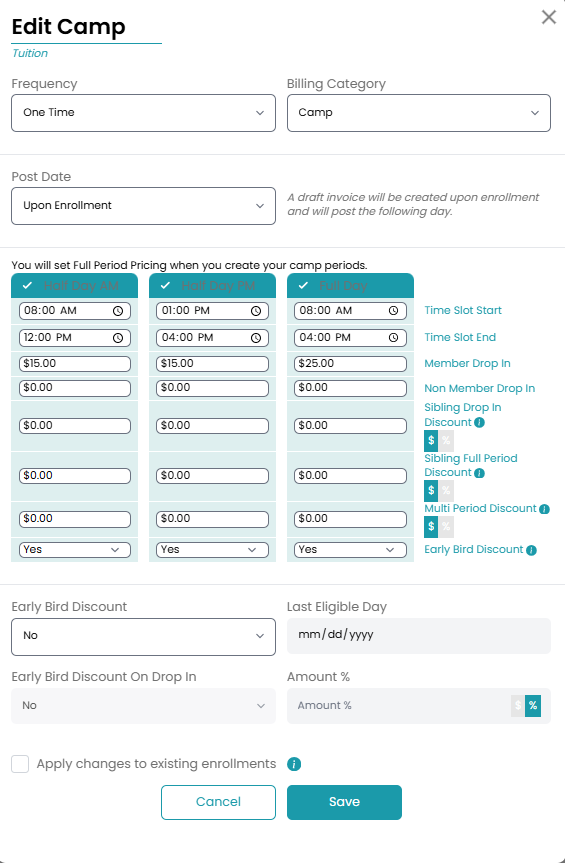
Once you reach the payment settings modal when setting up a camp, you can choose the Upon Enrollment option under the Post Date dropdown. This will create a draft invoice immediately upon enrollment. The invoice will then post and be due the next day. Parents can also choose to pay for the invoice immediately if enrolling through the parent app.
Create a Draft Invoice Option
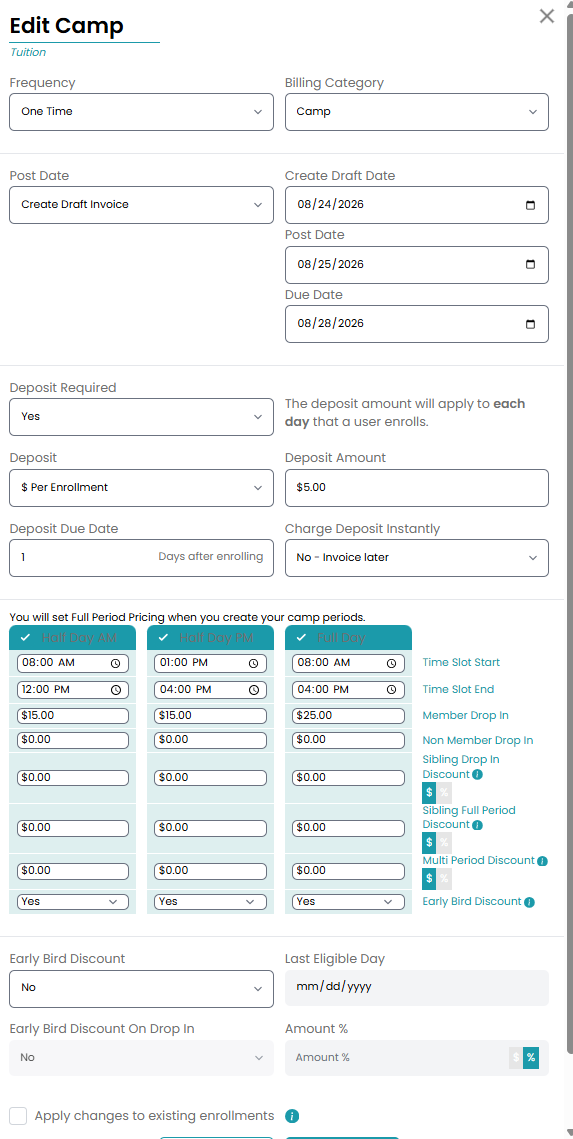
Select the Create Draft Invoice under the Post Date setting when setting up your tuition. From there, you will set your draft, post, and due date for all camp enrollments. The dates you set will apply to all camps scheduled under this camp session.
Deposits
When you choose the Create Draft Invoice option, you can also turn on deposits for camp. With this feature, parents would have to pay a deposit that is either a flat rate or percentage based in order to book the camp. This deposit would be taken out of their final invoice allowing parents to only pay what is left of the tuition.
You also have the ability to charge the invoice instantly or bill the user later as well as determine how long the user has to pay the deposit.
Camp Discounts
Set discounts specifically for camps for your users!
Sibling Discounts
The Sibling Drop-In Discount provides the family a discounted price on drop-ins if multiple siblings are enrolled. Set the price for Half Day AM, Half Day PM, or Full Day. You can also set a discount for just full period enrollments if multiple siblings are enrolled.
Multi Period Discount
Provide a discount for your athletes that enroll in multiple camps throughout the session with the Multi Period Discount. This discount can also be set for Half Day AM, Half Day PM, and Full Day enrollments.
Early Bird Discount
Give users the chance to only pay a fraction of the tuition if they enroll early with the Early Bird Discount. Set the last eligible day, if users will receive the discount for a drop in, and how much the tuition will be discounted percentage-wise.
Updating Fees
When updating fees for a camp, you will get a pop up that asks if you want to backfill the fee. This means that anyone who has signed up and has the fee on their scheduled fees page will update with the new fee structure.
If you updated a fee previously and did not backfill, but then update a new fee, it will update all the fees.